PORTFOLIO / CUSTOM CRM · BACKEND · CMS · AI
Les Terres
de Sarson.
A complete CRM for running the estate.
From the first enquiry to the team on site.
Original website designed by Bolectif ↗Custom CRM, backend, CMS and AI chatbot by Méthylène Consulting.
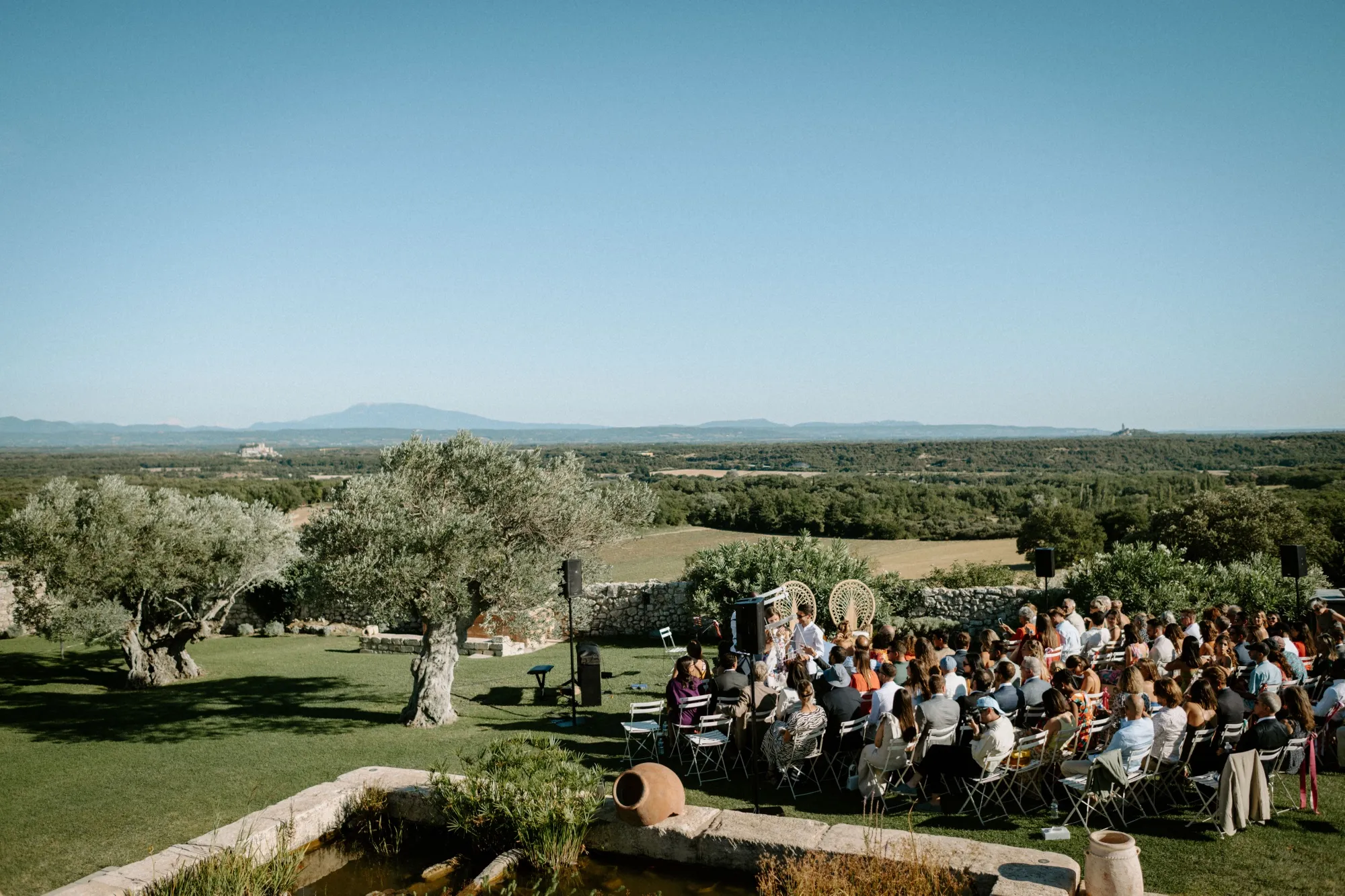
A busy wedding estate.
One CRM to connect it all.
The project started out as « hébergements-sarson ». I built a complete application for Les Terres de Sarson, covering sales, wedding records, guest invitations, bookings, staff schedules and financial tracking.
I connected the public website, originally designed by Bolectif, to a custom CMS. Around it, I built the backend, client portals, staff tools and an AI chatbot that draws on the estate’s documents. Accommodation is just one part of the system.
- PROJECT
- Les Terres de Sarson
- FIELD
- Customer relations, event planning & estate management
- SCOPE OF WORK
- CRM & complete backend
CMS, scheduling & AI
terresdesarson.com Original public website by Bolectif. Custom CRM, backend, CMS & AI by Méthylène Consulting.
MÉTHYLÈNE’S ROLE / DESIGN & DEVELOPMENT
Behind the public website.
A complete CRM.
Sales, clients, staff and payments in one application designed around how a small business works. Room allocation is one of the workflows it supports.
- 01 / CUSTOMER RELATIONSFrom first enquiry
to signed contract.Leads, venue visits, records and follow-ups.
- 02 / WEDDING PLANNINGFor couples
and their guests.A private portal, invitations and planning.
- 03 / OPERATIONSFrom schedules
to the teams on site.Bookings, staffing and housekeeping.
- 04 / FINANCIAL TRACKINGFrom deposits
to supplier commissions.Due dates, bank transfers and suppliers.
ALSO BUILT / A CUSTOM AI CHATBOT
An AI assistant
that draws on
the estate’s own information.
I also built a conversational assistant connected to Sarson’s document library. It retrieves relevant passages before drafting an answer in French or English.
The estate’s own documents.
Staff can import, index and manage PDF, Word and text files.
Answers grounded in context.
Conversation history, document search and photos of the spaces being discussed.
A handover to the team.
When information is missing, the assistant directs visitors to the team. Confirming or booking a date remains the team’s responsibility.
WHAT I BUILT
The application,
feature by feature.
Explore the features by workflow. Open any section to see what it covers.
01Sales CRM & client records
From enquiry to a wedding ready to run.
- Create and track leads, record contact details for both people and log the source of each enquiry.
- Give clients a personal link to complete their record through an information form.
- Move each enquiry through contact, visit, contract, planning and closure, with staff controlling stage changes.
- Search, filter and review records in dedicated views or on a Kanban board.
- Track next actions, follow-ups, dated tasks, priorities and correspondence history.
- Import records, check for duplicates, match entries and merge them through a controlled process.
02Staff & venue scheduling
A shared view of the estate’s activity.
- Combine weddings, bookings, blocked dates, housekeeping, staff attendance and CRM events in one master schedule.
- Switch between week, month and year views and filter by event type or team member.
- Manage venue bookings and blocked dates in a dedicated calendar.
- Let visitors see available dates. Bookings are handled by the team.
- Export schedules to PDF for a selected period and staff member.
- Subscribe to calendars in Outlook or export them in iCalendar format.
03Guests & personalised invitations
Prepare, personalise, send and track.
- Manage guest lists and preview and validate Excel or CSV data before importing it.
- Customise invitations with a theme, typeface, artwork, colours, photo and personal message.
- Preview invitations and send a test email.
- Send accommodation invitations individually or in bulk, and resend them from the couple’s portal.
- Give each guest a secure link with stay dates, room assignment and practical information.
- Show payment instructions for each stay, including whether the accommodation is paid or complimentary.
- Track sent invitations, room allocations and accommodation payments.
04Deposits, balances & bank transfers
Financial tracking for each wedding record.
- Schedule the first deposit, second deposit and final balance.
- Record expected and received amounts, due and receipt dates, bank references and notes.
- Split an amount due into several instalments.
- Calculate contractual amounts using the record’s rules and adjust the final balance.
- Track status as to be confirmed, expected, partially received, received, overdue, not applicable or cancelled.
- See what needs follow-up, identify overdue items, search and filter by status.
- Apply separate view and edit permissions. Staff record transfers after verifying them.
05Suppliers & commissions
Track amounts for each supplier and wedding.
- Maintain a reusable supplier directory with categories, contact details and logos.
- Assign suppliers to individual wedding records.
- Set the expected commission for each wedding and supplier pairing.
- Track commission amounts received, due dates, references and payment status.
- View financial records by wedding or supplier while keeping each record separate.
- Prepare a supplier guide from a wedding record, generate a PDF and send it by email.
06Staff, attendance & housekeeping
Coordinate work on site.
- Manage staff and log attendance by day or part of day.
- Filter by staff member and identify days with incomplete attendance records.
- Schedule post-wedding housekeeping or standalone cleaning jobs with times and operational notes.
- Maintain a directory of cleaning companies and professionals.
- Assign companies and cleaners to particular slots and rooms.
- Switch between agenda, calendar and company views and export housekeeping and attendance PDFs.
07Private portal for couples
A dedicated space for clients to manage their plans.
- Give each couple an account, access to their wedding and a way to reset their password.
- Show guests, rooms, allocations and accommodation status in a dashboard.
- Choose the payment details and instructions sent to guests.
- Personalise invitations and messages directly from the couple’s portal.
- Provide practical information, account settings and a French and English interface.
08Rooms, areas & accommodation
The original module, connected to the rest of the CRM.
- Maintain a room catalogue with areas, room types, capacity, photos and status.
- Allocate rooms to a wedding and define stays and rates.
- Assign and reassign guests to rooms from the couple’s portal.
- Track capacity, occupancy, and arrival and departure dates.
- Distinguish complimentary and paid accommodation, track payments and flag allocation issues.
09Event planning & wedding day
Turn the wedding record into instructions for the team.
- Log timings, the running order, headcounts, spaces and wedding planning notes.
- Bring suppliers, overnight stays and accommodation needs together in the wedding record.
- Track events, tasks, people responsible and planning deadlines.
- Use a completeness indicator to spot missing details.
- Print or export a concise wedding-day briefing as a PDF for the team.
10Contracts & documents
Create documents and keep their versions.
- Prepare contracts using the record’s details, dates and amounts.
- Generate a PDF contract and automatically attach it to the wedding record.
- Edit documents in the PDF workspace and retain generated and uploaded files.
- View and download contracts, then upload signed copies for staff to verify and record the signature date.
- Restrict document access, issue temporary viewing links and keep an activity history.
11CMS & public website administration
Update the existing website without rebuilding it.
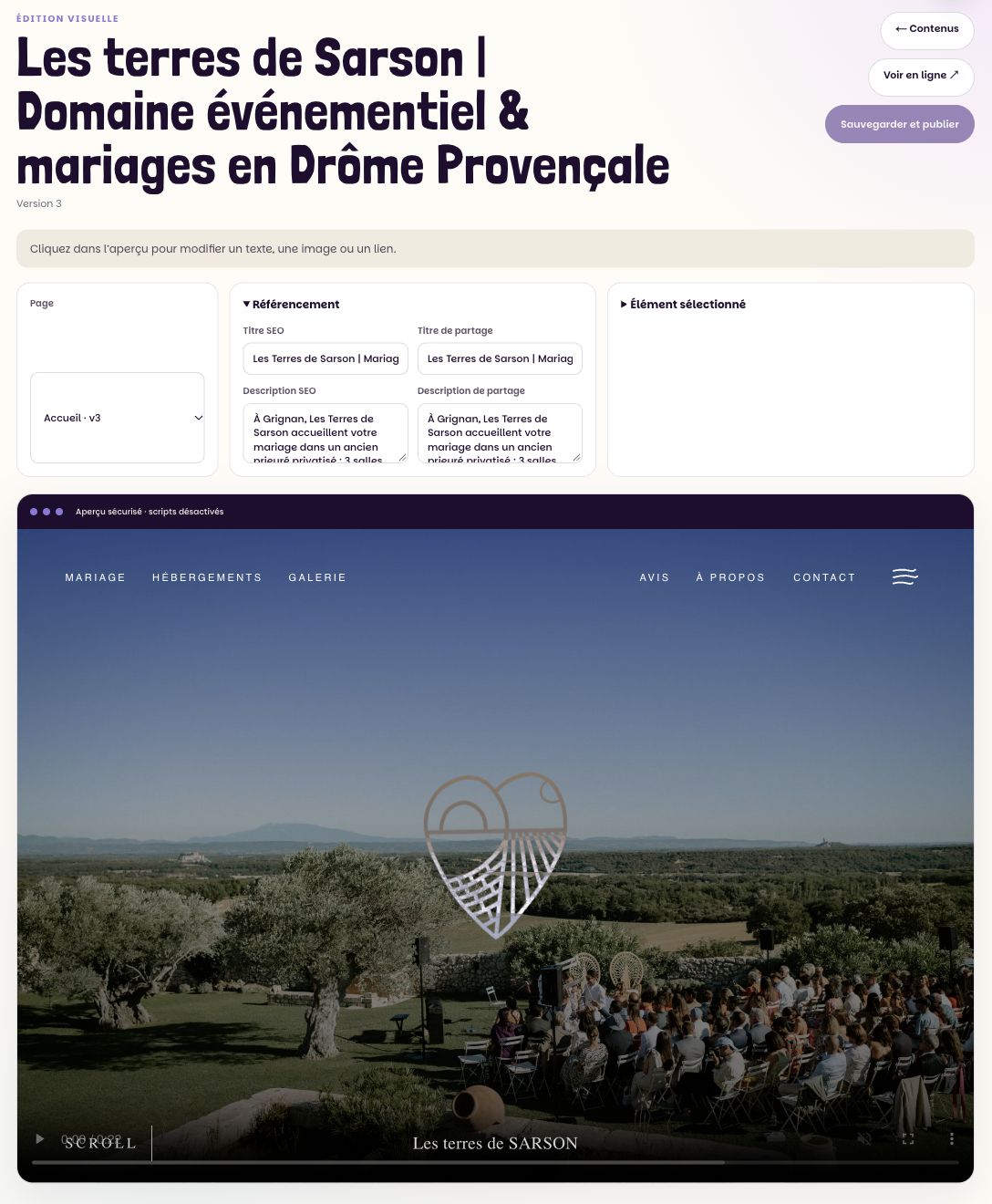
- Use a visual editor connected to the public website originally designed by Bolectif.
- Edit pages, text, images and SEO information.
- Manage articles, galleries, videos and reviews.
- Manage room photos and related media.
- Prepare, preview, publish and restore content through the CMS.
12SEO & dashboards
See the data the estate needs to work.
- Open a venue dashboard with key figures, a calendar and links to schedules.
- Use a financial dashboard for due payments and supplier commissions.
- Combine read-only data from Google Search Console and Google Analytics 4 in one SEO view.
- Compare queries, pages, trends and periods to track search visibility and traffic.
- Sync SEO data on a schedule and check the status of each source.
13AI chatbot for the estate
Answer questions using information from Sarson.
- Hold conversations in French and English and retain the conversation history.
- Import and index PDF, Word and text documents in a searchable library.
- Retrieve relevant passages to inform answers using retrieval-augmented generation (RAG).
- Use conversation context and show photos of the spaces being discussed.
- Ground answers in documents, check numbers and fall back when information is missing.
- Direct visitors to the availability calendar and contact form. The team handles bookings.
- Manage sources, settings, history, answer feedback and contact requests.
14Staff tools & communication
Everyday tools across the team.
- A workspace for composing and exporting PDF documents.
- Personalised email signatures with Outlook installation instructions.
- Emails for couple access, account recovery, invitations and the supplier guide.
- Track usage of the email delivery service.
- Follow-up notifications and a CRM user guide built into the admin area.
15Access, data & continuity
Give each role the access it needs.
- Authenticate users and separate the admin, staff, couple and guest areas.
- Manage members and permissions by section with distinct rights to view or edit.
- Apply server-side checks and log sensitive CRM actions.
- Support privacy notices, export wedding data and manage deletion through a controlled process.
- Set data retention rules and provide GDPR administration tools.
- Automate encrypted database and media backups, verify the archives and keep an off-site copy.
Original public website by Bolectif ↗
Custom CRM, backend, CMS, integration and AI chatbot by Méthylène Consulting.
Behind the estate,
a recognisable tool.
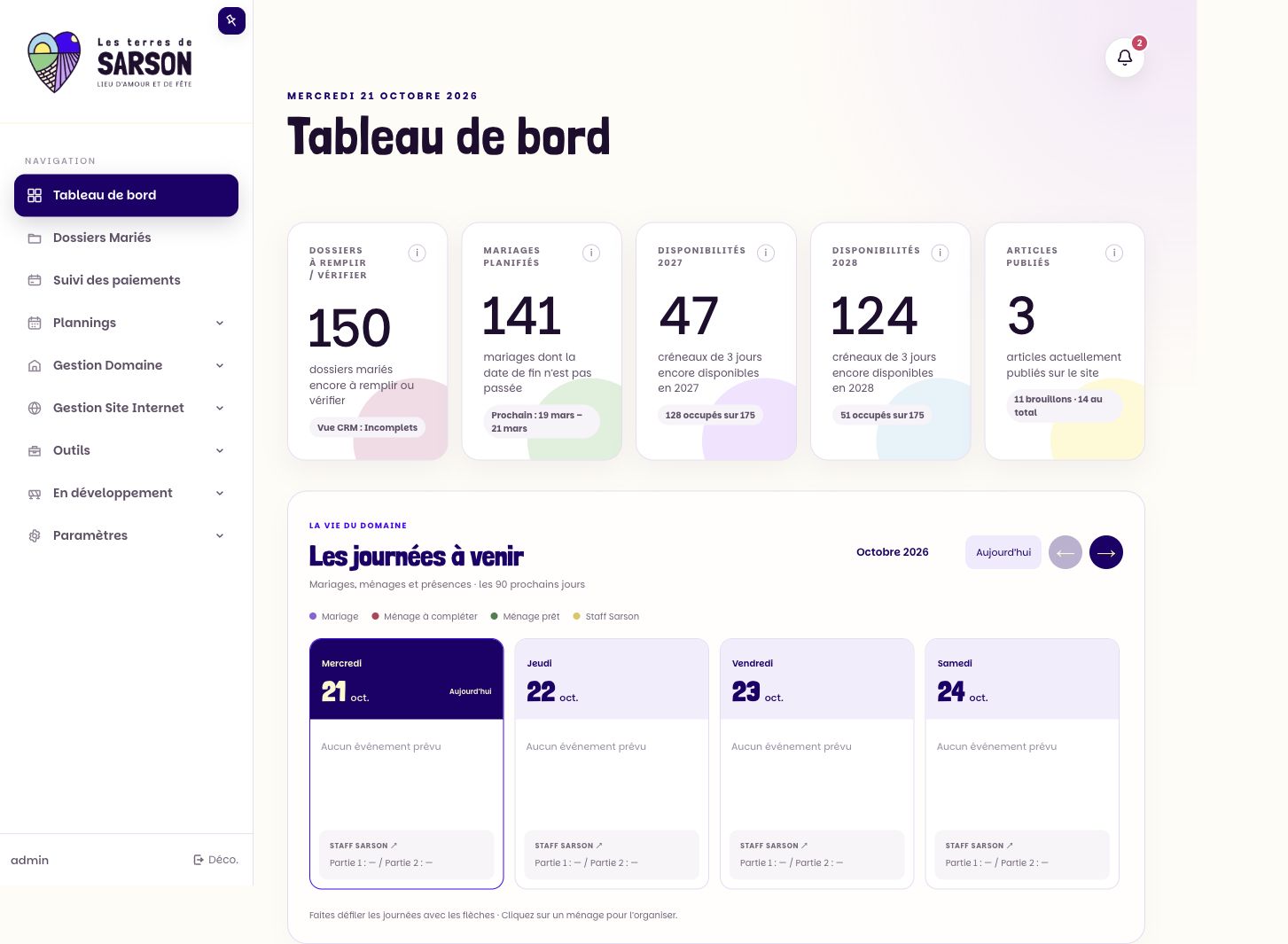
The estate’s identity carries through. In the admin interface, expressive headings and purple accents help staff navigate their work.

dashboard
Londrina Solid · Parkinsans
#FFFCF6Admin background#210D2FPrimary text#1F006BActive navigation and actions#604F68Secondary navigation
Visual references
The Sarson admin interface uses its own styles and local font files. This palette shows colours from the interface. The venue photographs retain their original tones.
Connect the teams.
Keep decisions with people.
The CRM follows how the estate works. An enquiry becomes a record, the record guides event planning, and bookings and schedules coordinate the work on site. Staff verify sales statuses and payments. The admin team, staff and couples each have their own access rights.
Centralise
Keep contacts, documents, deadlines and relevant details together in the wedding record.
Coordinate
Connect wedding planning with rooms, suppliers and venue staff.
Verify
Keep permissions precise, require staff approval and retain a record of sensitive actions.
THE CMS INSIDE THE CRM
Manage the public website
from the same workspace.
Alongside sales, schedules and payments, staff can edit pages, copy, media and SEO details and publish updates. This screenshot shows the visual editor connected to the original site.
AN EXAMPLE ON MOBILE
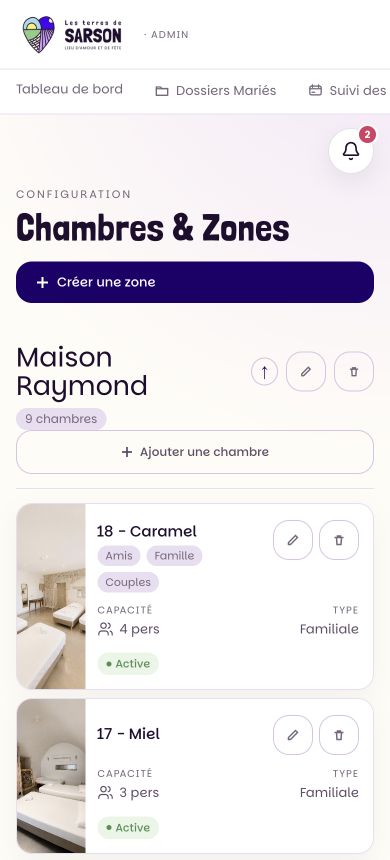
Room management,
one part of the system.
The same application includes the accommodation catalogue with rooms, areas, capacity and availability. It supports client records and day-to-day operations at the estate.
A structured backend.
Designed to evolve.
SEO applies to the public site. The private CRM gives the estate the tools to update its content and monitor visibility independently of code changes.
SEO
Edit, publish and track visibility.
The CMS makes SEO details editable. The SEO module combines data from Google Search Console and Google Analytics 4, including queries, pages, traffic and comparisons over time.
PERFORMANCE
A responsive public site, with a separate CRM.
On public pages, Lighthouse helps find loading bottlenecks, layout shifts and heavy assets. Inside the CRM, the priority is straightforward workflows and controlled access.
ORIGINAL SITE: BOLECTIF · CRM, BACKEND, CMS & AI: MÉTHYLÈNE CONSULTING · Screenshots taken on 21 October 2026. Client and staff names are omitted.